

What this metric actually measures
Page Impressions measure how often content is rendered to a user. It is a volume counter. It does not deduplicate users, and it does not require a click or interaction. Treat it as the top of the attention funnel. When impressions rise, your brand or content is being seen more often. When impressions fall, visibility has slipped or targeting has narrowed.
Where you’ll see it (and what it means in each place)
- Web: Often tracked as page loads or views. It reflects how many times an HTML document or key content element was loaded in a browser. Bot traffic, auto-refresh, and prefetching can inflate this figure if filters are loose.
- Advertising: Counts the number of times an ad creative was served. Many platforms distinguish between served impressions and viewable impressions. Served means the ad loaded on the page. Viewable means at least half the ad’s pixels were in view for a brief period. Buying models based on impressions usually use CPM, which prices every 1,000 impressions.
- Social: Tallies how many times a post, story, or video appeared in feeds. This number is usually higher than reach because the same user can see the content multiple times.
Key differences you need to know
- Impressions vs Reach: Impressions include repeats. Reach is the distinct number of people who saw the content at least once. If you record 50,000 impressions and 20,000 reach, average frequency is 2.5.
- Served vs Viewable (ads): Served counts the load event, even below the fold. Viewable counts exposures that actually appeared on screen long enough to be considered seen. Track both, but anchor quality discussions on viewable.
- Page Views vs Page Impressions (web): Page views in analytics tools count reloads and navigations to a page. Impressions can also refer to specific elements being displayed, such as a module or banner inside the page. Clarify which you’re using before comparing.
Why you track it
- Brand awareness: New campaigns live or die on exposure. Impressions show whether your distribution is wide enough to matter.
- Targeting checks: Large impression counts in the wrong audience waste budget and attention. Segment impressions by location, device, and audience attributes to confirm targeting.
- Pacing: For paid campaigns, impressions reveal if delivery is on track against plan. For organic content, they reveal if algorithms are surfacing your work.
How to read the number in context
Impressions on their own are only a visibility signal. Pair them with quality and action metrics to learn whether exposure is useful.
- Click-through rate (CTR): Clicks ÷ Impressions. Confirms that the creative and message earn attention.
- Viewability rate (ads): Viewable Impressions ÷ Measurable Impressions. Ensures ads were actually seen on screen.
- Cost per mille (CPM): Cost ÷ Impressions × 1,000. Reveals the price you’re paying for exposure.
- Frequency: Impressions ÷ Reach. Helps you avoid fatigue from overexposure.
- Engagement or on-site quality: For web pages, pair with time on page, scroll depth, and conversions.
Data quality and common pitfalls
- Bots and invalid traffic: Use platform filters and verification tools. Compare impressions to server logs and sudden spikes by source or region.
- Below-the-fold ad loads: Served impressions that never reach viewable territory make CTR and conversions look weak. Shift placements or bidding to improve viewability.
- Infinite scroll and auto-refresh: These patterns can inflate counts. Cap refresh rates, and treat auto-play or lazy-load design with care.
- Attribution mismatches: Web analytics, ad platforms, and social networks count impressions differently. Do not mash them into one number without labels.
- Prefetching and caching: Modern browsers pre-load resources. Validate whether your tagging counts prefetch as a view and adjust your definition.
Segmentation that makes impressions useful
Break the metric down so you can act on it.
- By channel: organic search, paid search, display, social, email, referral
- By campaign and creative: campaign, ad set/group, creative size, message variant
- By audience: demographic segments, interest groups, lookalikes, custom lists
- By content and placement: page path, category, feed placement, position
- By device and context: desktop, mobile, tablet, browser, app vs web, time of day
These cuts help you find where visibility is concentrated, where it is wasted, and where a small creative or targeting change will lift results.
Practical uses across teams
- Marketing leadership: Track whether top-of-funnel reach is expanding and whether frequency is held within a sensible range.
- Channel managers: Use impressions with CTR and CPM to judge creative fatigue and placement quality.
- Content teams: Watch impressions per article or post to learn which topics are surfaced by algorithms and search engines.
- Media buyers: Optimise toward viewable impressions, not just served. Use viewability floors and inventory whitelists.
- Analytics and data teams: Standardise definitions across tools. Document which events or fields power the metric in each system.
Visualisation ideas
- Time series: impressions by day or week with a 7-day moving average.
- Stacked bars: impressions by channel, campaign, or creative.
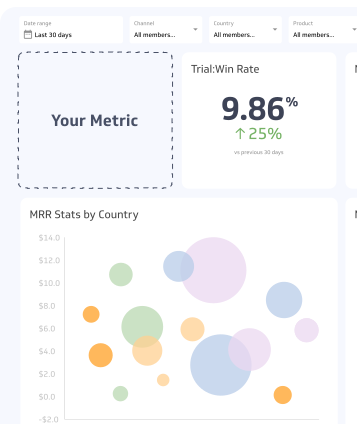
- Scatter: CPM on the x-axis, CTR on the y-axis, bubble size as impressions to spot efficient scale.
- Frequency distribution: count of users by exposure count to manage fatigue.
Implementation notes by source
- Web analytics: Use the page load or equivalent view event. Exclude known bots and dev traffic. Treat hard refreshes and soft navigations consistently.
- Search performance tools: “Impressions” often means search result listings shown to users. These are not page loads. Compare carefully.
- Ad platforms: Pull both Impressions and Viewable Impressions. Use Measurable Impressions to compute viewability rate. Confirm if your CPM is based on served or viewable.
- Social platforms: Each network’s definition varies slightly, especially for short video and stories. Align on a documented glossary for your team.