A business account on Instagram has multiple posts published to its profile. All together, the content receives 150 comments across those posts. The Media Comments count for the business is 150.
Media Comments
Last updated: Jun 10, 2026
What is Media Comments?
Media Comments is the total count of comments received across your social media content. Comments signal active engagement because they require more effort than a like or share, though they can include complaints, questions, or spam as well as positive responses.
Media Comments Formula
ƒ Count(Media Comments)
How to calculate Media Comments
Start tracking your Media Comments data
Use PowerMetrics, modern analytics platform, to monitor your data. Choose a service below to start tracking your Media Comments instantly.

How to visualize Media Comments?
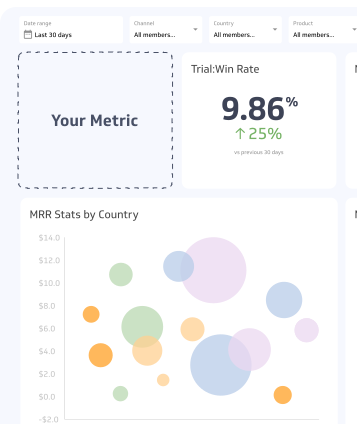
It helps to view engagement metrics such as Media Comments visualized with a summary chart which compares the current value to a previous time period.
Media Comments visualization example

Summary Chart
Here's an example of how to visualize your current Media Comments data in comparison to a previous time period or date range.

Media Comments
Chart
Measuring Media CommentsMore about Media Comments
Why media comments matter
Comments are one of the strongest signals of audience engagement because they demand effort. A viewer who takes time to comment is more invested in your content than one who simply scrolls past or taps a like.
That said, comments are not uniformly positive. A high comment count can reflect genuine interest, but it can also include complaints, questions, or spam. Tracking volume alone gives you an incomplete picture.
For this reason, pairing comment counts with sentiment analysis gives you a more accurate read on how your audience actually feels about your content.
How to use media comments effectively
Here are practical ways to get more value from this metric:
- Track alongside other engagement metrics. Comments carry more weight than likes or shares, but use all three together to understand the full engagement picture.
- Monitor comment sentiment. Segment comments into positive, neutral, negative, and spam categories to understand the quality of engagement, not just the quantity.
- Respond promptly. Replying to comments builds trust and signals to your audience that there's a real person behind the account.
- Use comments as a feedback loop. Questions and complaints in your comments often surface unmet needs or content gaps worth addressing.
- Benchmark by content type. Posts with a direct call to comment (contests, polls, open questions) will naturally generate more comments. Track these separately to avoid skewing your baseline.
Common challenges
Comment counts can be misleading without context. A spike in comments may reflect a controversy rather than genuine interest. Spam and bot activity can inflate counts on certain platforms. Always review comment quality alongside volume before drawing conclusions about content performance.
Contributor