You send a newsletter to 1,000 subscribers. Of those, 600 open the email, but 100 of them open it twice. Your total Email Opens = 500 (opened once) + (100 × 2) = 700 Email Opens. This tells you how many total open events occurred across the campaign.
Email Opens
Last updated: Jun 04, 2026
What is Email Opens?
Email Opens counts the total number of times an email is opened by all recipients, including multiple opens by the same person.
Alternate names: Email Total OpensEmail Opens Formula
ƒ Count(Email Opens)
How to calculate Email Opens
Start tracking your Email Opens data
Use PowerMetrics, modern analytics platform, to monitor your data. Choose a service below to start tracking your Email Opens instantly.

What is a good Email Opens benchmark?
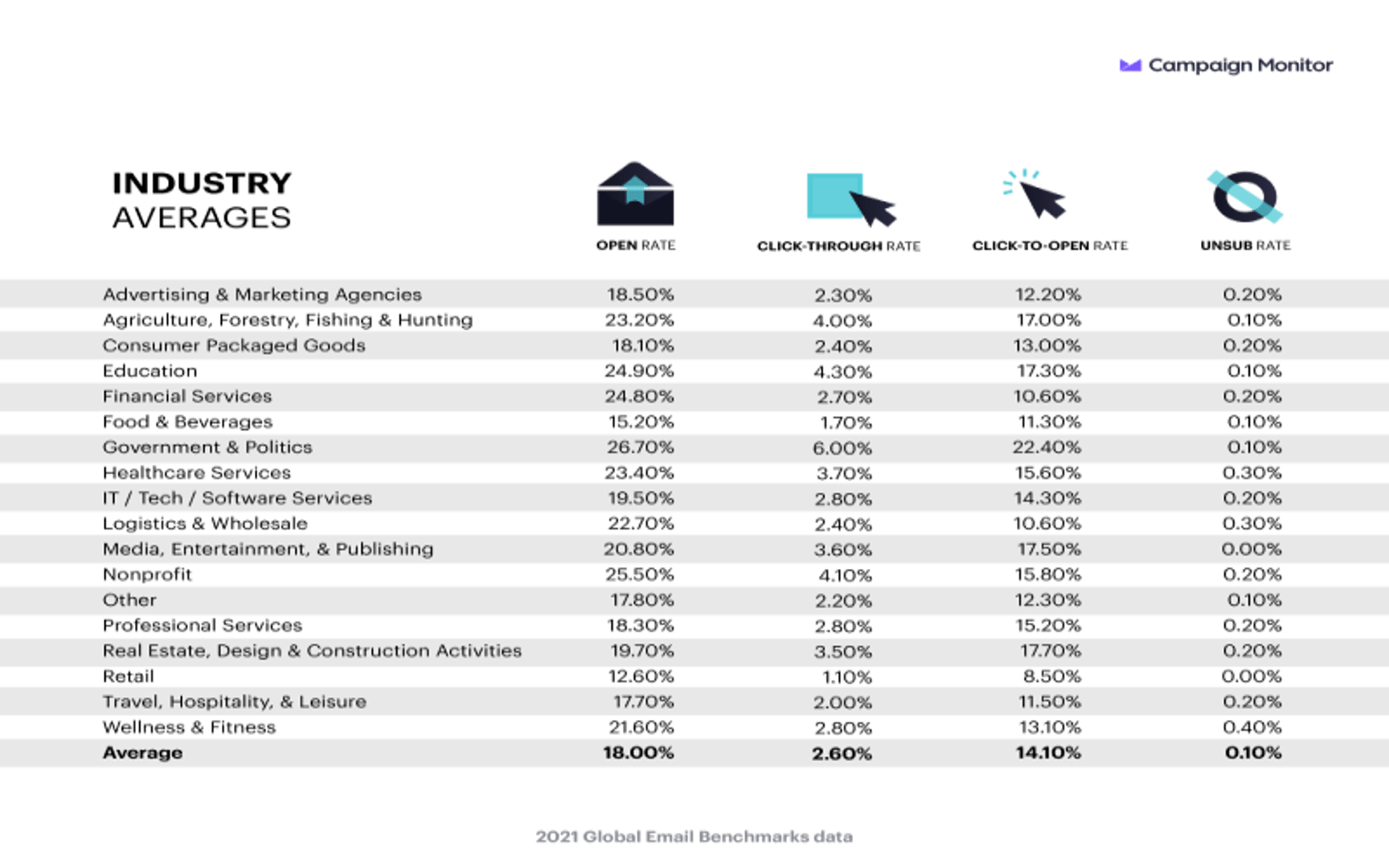
A good Email Open Rate is generally around 18%. However, there are no benchmarks for Email Opens because this number varies from person to person.
Email Opens benchmarks

How to visualize Email Opens?
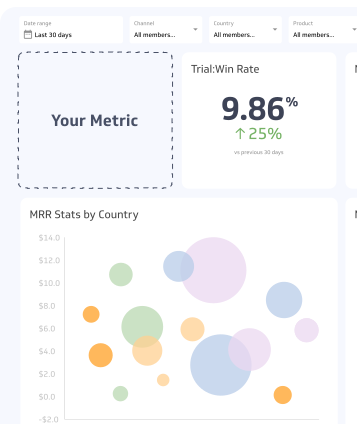
To visualize your Email Opens data, it is best to view this number in a summary chart, which is sometimes also called a metric chart. This displays your data as a single number for a given time period or maximum date range. You can then compare the data against a previous time period (Year-over-Year for example). Take a look at the chart for an example of how to visualize your Email Opens data:
Email Opens visualization example

Summary Chart
Here's an example of how to visualize your current Email Opens data in comparison to a previous time period or date range.

Email Opens
Chart
Measuring Email OpensMore about Email Opens
Email Opens counts every instance an email is opened over a period of time. Opens are not unique; the count increases each time any recipient opens the email, even if the same person opens it multiple times. This metric gives you a directional view of engagement activity across your campaign.
On its own, Email Opens has limited diagnostic value. Pair it with related metrics to get a complete picture:
- Email Open Rate: Opens as a percentage of delivered emails
- Email Clicks: How many recipients clicked a link after opening
- Click-to-Open Rate (CTOR): Clicks as a percentage of opens, which measures content relevance
- Email Deliveries: How many emails actually reached inboxes
Limitations of email opens
Email open tracking relies on a tracking pixel embedded in the email. When a recipient's email client loads the pixel, an open is recorded. This creates a few measurement challenges:
- Image blocking: Some email clients block images by default, meaning opens go unrecorded even when the email is read
- Privacy features: Apple's Mail Privacy Protection (MPP), introduced in 2021, pre-fetches email content in the background, which inflates open counts regardless of whether the recipient actually read the message
- Bot activity: Security scanners and email filters can trigger opens automatically
Because of these factors, treat Email Opens as a relative trend indicator rather than an exact count of human engagement.
How to improve email opens
Higher Email Opens generally follow from stronger list quality and more relevant content. A few practices that consistently help:
- Use double opt-in: Subscribers who confirm their address are more likely to engage consistently
- Clean your list regularly: Remove inactive subscribers to reduce noise and improve deliverability
- Write clear, specific subject lines: Avoid vague or misleading language; subject lines that set accurate expectations tend to earn more opens
- Test send times: Open behaviour varies by audience; A/B test send days and times to find what works for your list
- Segment your audience: Sending relevant content to the right segments increases the likelihood of an open
Email Opens Frequently Asked Questions
What is the difference between Email Clicks and Email Opens?
Email Clicks counts the total number of clicks on links in your email whereas Email Opens counts the total number of times your emails have been opened.
Contributor