Contacts
Last updated: Jan 26, 2026
What is Contacts?
Contacts are individual people that your business has an identified, ongoing relationship with, typically stored in a Customer Relationship Management (CRM) system and often associated with an account or company. In CRMs such as HubSpot and Salesforce, Contacts usually represent people who have been qualified beyond an initial expression of interest and may be associated with opportunities, customers, or former customers. Depending on your CRM configuration, Leads may exist separately or be converted into Contacts once qualification criteria are met.
Contacts Formula
How to calculate Contacts
Your company exhibits at an industry conference and collects 500 email addresses from attendees who express interest in learning more about your product. These individuals are initially captured as leads. After the event, 100 of those leads book a demo, request pricing, or have a qualifying conversation with your sales team. Those 100 individuals are now considered Contacts, as they have demonstrated clear intent and are actively engaged in your sales process.
Start tracking your Contacts data
Use PowerMetrics, modern analytics platform, to monitor your data. Choose a service below to start tracking your Contacts instantly.
How to visualize Contacts?
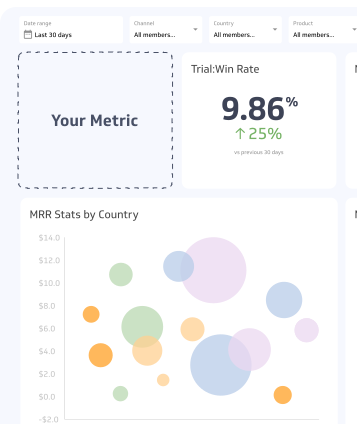
Contacts are most commonly visualized by tracking total Contact count over time and comparing growth period-over-period. Line charts are effective for showing trends in list growth, while summary charts or tables work well for comparing current totals, net new Contacts, or growth rates across periods, segments, or sources.
Contacts visualization examples
Contacts
Line Chart
Summary Chart
Contacts
Chart
Measuring ContactsMore about Contacts
Contacts (sometimes referred to as Relationships or People) are a core building block of your revenue funnel. They represent known individuals who have engaged with your business in a meaningful way and for whom you have captured persistent information such as name, email, company, role, and engagement history.
Contacts are created through a variety of channels, including website forms, product signups, events and webinars, outbound and inbound sales activity, email marketing, and social media interactions. In modern revenue teams, Contacts are often created automatically when a user reaches a defined qualification threshold, such as booking a demo, requesting pricing, meeting a lead scoring requirement, or completing a product-based action.
Understanding the distinction between Leads and Contacts is important. Leads generally represent early-stage or unqualified interest, while Contacts represent individuals who have been qualified based on intent, fit, or behaviour. In some CRMs, Leads and Contacts are separate objects; in others (such as HubSpot), all records may start as Contacts and are segmented using lifecycle stages. Regardless of tooling, the underlying concept remains the same: Contacts are people your business is actively working to convert, retain, or expand.
Using a CRM like HubSpot or Salesforce to manage Contacts allows your sales and marketing teams to maintain a shared, up-to-date view of every relationship. Modern CRM adoption consistently shows strong ROI by improving visibility, follow-up, and coordination across teams. When Contacts data is connected to analytics and reporting tools, teams can more easily monitor pipeline health, diagnose conversion drop-offs, and adjust go-to-market strategies in near real time.
Contacts Frequently Asked Questions
Why is it important to track Contacts in your CRM?
Tracking Contacts in a CRM ensures that all customer and prospect information lives in a single source of truth. This improves sales efficiency, reduces duplicated effort, and enables better communication and coordination across marketing, sales, and customer success teams.
How can I track my Contacts list growth?
Track the total number of Contacts and net new Contacts over time using an analytics or BI tool such as Klipfolio PowerMetrics. Monitoring list growth and segmenting it by source, lifecycle stage, or campaign helps you evaluate the effectiveness of your lead generation and qualification strategies and quickly spot changes in performance.
Recommended resources related to Contacts
Here’s how to create contacts on HubSpot.Contributor